
If your LED bulbs flicker, buzz, or pulse at low brightness, you’re not alone — and the fix is often simpler than replacing every light in the room. This guide is written for diagnosing flicker quickly and stopping it from recurring across a whole order.
We work with LED drivers and finished lighting every day, and most flicker complaints fall into a small number of predictable causes.
Below, you’ll learn the six root causes of LED flicker, a test to isolate the source in five minutes, practical fixes, and the exact procurement specs that prevent “flicker on arrival” in bulk shipments.
Let’s start with what’s actually causing the flicker.
3 Main Causes of LED Bulb Flickering
Nearly every case falls into one of three groups: a dimmer problem, a driver problem, or a wiring and power problem. When we sort through client complaints, the split is pretty consistent — about 60% come down to the bulb or driver itself, and about 40% to the dimmer, wiring, or install. That’s why isolating the source first saves the most time.

Incompatible Dimmer Switches
The most common cause is a dimmer built for old incandescent bulbs. Those dimmers expect a heavy load. A low-wattage LED just doesn’t draw enough current to keep them stable.
You get flicker, dropout, or a jumpy dimming range — usually worst at low brightness. Legacy phase-cut (TRIAC) dimmers are the usual culprit.
The fix: pair LEDs with a dimmer rated for LED loads, and confirm it on the maker’s compatibility list. Specifying dimmable lights? Check the dimmer model against the driver — not just the word “dimmable” on the box.
Faulty or Undersized LED Drivers
The driver turns your mains voltage into the steady low-voltage current the chips need. If it can’t hold that current constant, you get flicker. The cause might be a design flaw, heat damage, or a part that’s degraded over time. Undersized drivers show up a lot in cheap fixtures — the driver runs near its limit and struggles under load or voltage swings.
In our own factory QC, the top driver-side cause isn’t current accuracy or PWM frequency. It’s undersized or low-grade output electrolytic capacitors. After long storage or a hot ocean crossing, these caps lose capacitance and their ESR climbs. The output ripple stops getting filtered, and flicker shows up at light load or during voltage swings.
You can screen for this straight off the datasheet. Treat 10V/470µF-class caps with no rated life as high-risk. Look instead for 16V/1000µF, 105°C / 5,000-hour long-life capacitors, a stated output ripple current spec, and a rated operating temperature under 70°C.
Wiring, Overloaded Circuits & Voltage Fluctuations
Even a perfect bulb flickers if the power feeding it is unstable. Three wiring-side issues cause most of these.
Loose connections — at the socket, terminal block, or wire nut — mean intermittent contact and visible flicker. This one’s a safety issue, not just an annoyance.
Overloaded circuits sag briefly when a big appliance kicks on. Sensitive LEDs read that dip as a flicker.
Grid or line voltage swings — common where supply is weak or big motor loads sit nearby — make many lights flicker at once.
The tell is simple: if several unrelated lights flicker together, suspect the wiring or supply, not the bulbs.
How to Diagnose Flickering LED Lights
Before you replace anything, find the cause. Guessing costs money — you might swap out bulbs when the real fault is the dimmer.
Work through the checks below in order. Each one rules out a whole group of causes.

Isolate the Problem First
The goal is simple. A flickering LED has only three possible sources: the light itself, its control, or the power feeding it. Isolate each layer and the cause becomes obvious.
There’s a five-minute field check that needs no tools.
Start by removing all external controls. Wire the light directly to live and neutral, bypassing any dimmer or smart module. If the flicker stops, the fault is the dimmer, control module, or wiring — not the light.
Next, cross-test the light. Move the unit to a known-good circuit. If it still flickers, the bulb or driver is faulty. If the flicker is gone, suspect line voltage drop, circuit overload, or grid harmonics.
Finally, isolate it on the circuit. Power only that single light. If it still flickers alone, it’s a driver defect — and that’s solid grounds for a return or replacement claim.
One safety point first. Kill the breaker and confirm it’s dead with a voltage tester. If you’re not comfortable working inside the circuit, stop here and call a licensed electrician. Flicker from loose wiring can signal a real fire risk. The U.S. Fire Administration links faulty wiring to thousands of home fires each year, so this warning is worth taking seriously.
Quick On-Site Tests & Key Metrics
Once you’ve isolated the source, a few quick tests tell you how bad it is — and whether it’s a defect worth a claim.
Try the appliance test. Switch on a large load on the same circuit, such as an AC unit, a pump, or a microwave. If the lights dip when it starts, that’s an overloaded circuit or voltage sag, not a bad bulb.
Watch multiple lights together, too. If several unrelated lights flicker at the same time, suspect grid or line voltage fluctuation — a supply issue, not a fixture issue.
Then check the connections with the power off. Inspect the socket, terminal block, and wire nuts. Loose terminals, scorch marks, or corrosion are both your flicker source and a safety flag.
If you have a meter, a few numbers help you judge severity.
Confirm the input voltage sits inside the driver’s rated range, such as 100–277V. A supply outside that range explains flicker on its own.
Percent flicker matters too. Visible flicker generally sits above the 5–10% range, and below that it’s usually unnoticeable. This helps you decide whether a complaint is a real defect or just perception.
Watch the frequency as well. Flicker below about 100 Hz is the most visible and the most fatiguing.
These metrics turn “it looks flickery” into evidence you can act on.
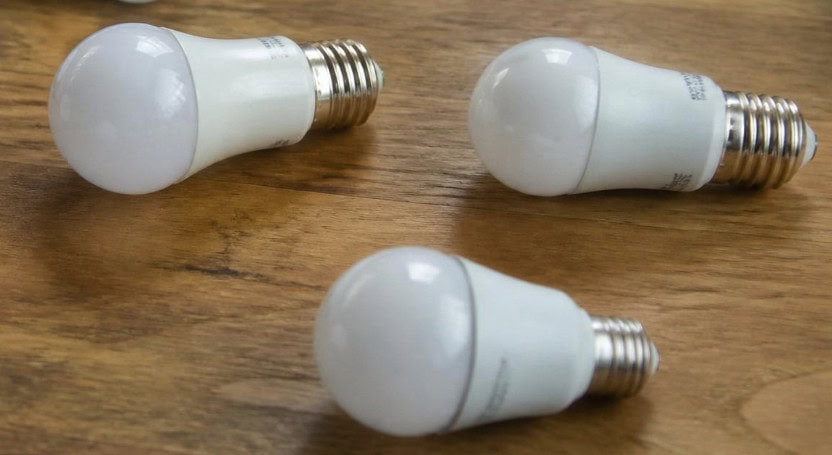
How to Fix Flickering LED Lights
Quick Fixes & Safety Red Lines
Start with the fast, low-risk fixes.
Replace an incompatible dimmer with one rated for LED loads, and confirm the model on the driver’s compatibility list.
Check the load range while you’re at it. LEDs draw so little that a big dimmer can fall below its minimum load and flicker. If you can’t reach the minimum, use a load-correction device or a different dimmer.
Then tighten or clean any loose connections, and clear corrosion off the contacts.
After that, respect the red lines. Stop and call a licensed electrician if you see:
- Scorch marks, melted insulation, or a burning smell
- A terminal that keeps loosening after you re-tighten it
- Flicker paired with warm switch plates or tripping breakers
These aren’t lighting annoyances. They’re wiring faults that can start a fire.
System-Level & Installation Fixes
If the quick fixes don’t hold, the problem sits deeper in the driver or the circuit.
Start with the driver. A driver is the small power unit that converts your mains supply into the steady current an LED needs. If the flicker follows the bulb, the driver is your culprit.
When you replace it, match three things:
- Output voltage and current — match the LED module exactly
- Wattage headroom — pick a driver rated above the actual load, not right at it
- Type — match constant current or constant voltage to your module
Undersizing to save cost is a false economy. A driver run at its limit heats up, and heat is what kills capacitors and brings the flicker back months later.
Then look at the circuit. For an overloaded line, move some load elsewhere, or have an electrician add a dedicated circuit for high-draw equipment.
For grid-wide voltage swings, a voltage stabilizer — or a driver with a wide input range like 100–277V — keeps the output steady even when the supply wanders.
One pattern is worth flagging for buyers. When flicker shows up across a whole batch of new bulbs — not one unit, but many — it’s almost never the wiring. In our experience that pattern points straight back to the driver or its capacitors, especially after long storage or a hot ocean crossing. So if you’re seeing batch-wide flicker, check the driver spec and shipment conditions first, not the customer’s wall wiring.
Procurement & Compliance: Specifying Flicker-Free LEDs
When you’re choosing LED lights to buy — for resale or for a project — flicker performance is decided long before installation. It comes down to reading the right specs and knowing which numbers actually matter. Here’s what to look at when selecting a flicker-free product.

Check the Percent Flicker and Flicker Index
These two numbers tell you directly how a light will perform.
- Percent flicker below 5% — the lower, the better
- Flicker index below 0.10
If a product sheet lists these values, that’s a good sign the maker takes flicker seriously. If they’re missing entirely, assume the light wasn’t tested for it.
Look at the Driver’s Input Voltage Range
A light with a wide input range, such as 100–277V, holds steady on unstable or fluctuating grids. A narrow-range driver is far more likely to flicker when line voltage dips — a common issue in older buildings and export markets.
Match the Dimming Type to Your Controls
Pick a light whose dimming type matches your dimmers — leading-edge, trailing-edge, or 0–10V. A mismatch here is the single most common cause of flicker after purchase, even on a good-quality light.
Confirm Independent Certification
Certifications show the light passed third-party testing rather than in-house claims.
- CE / RoHS for the EU market
- UL / ETL for North America
For flicker specifically, look for products tested against IEC TR 61547-1, the recognized flicker measurement standard. A product that names it has been measured, not guessed.
Frequently Asked Questions
Is a flickering LED bulb dangerous or a fire hazard?
Usually the flicker itself isn’t dangerous, but the cause can be. Persistent flicker from a loose connection or an overloaded circuit can generate heat at the fault point, which is a genuine fire risk. If a bulb flickers alongside a warm fixture, a burning smell, or scorch marks, stop using it and have the circuit checked. Flicker from a simple dimmer mismatch, by contrast, is a performance issue rather than a safety one.
Why do my LED bulbs flicker only when dimmed?
Because the dimmer and the LED driver aren’t compatible. Many older dimmers were designed for incandescent loads and can’t regulate the low, precise current an LED needs at reduced output. The result is visible flicker across part of the dimming range. Pairing the LED with a matching dimming type — leading-edge, trailing-edge, or 0–10V — resolves it in most cases.
What ripple and PWM frequency specs should I require to guarantee flicker-free performance?
For dependable results, require an output current ripple below 5% and, where PWM dimming is used, a PWM frequency of at least 1,250 Hz — high enough to sit above the range that causes visible flicker or stroboscopic effects. Backing these up, look for percent flicker below 5% and a flicker index below 0.10. Asking a supplier for these figures in writing turns “flicker-free” from a marketing phrase into a measurable, testable requirement.
Can custom LED lighting be engineered to eliminate flicker for my specific project?
Yes. For custom projects, the driver and control system can be specified around your exact power conditions and dimming setup — matching input voltage range, ripple limits, and dimming protocol to your site. This is often the most reliable route when a project has unstable power, specialized dimming controls, or strict low-flicker requirements such as broadcast, healthcare, or camera-critical environments.
Conclusion
Flicker almost always comes down to a handful of causes: a mismatched dimmer, an unstable power supply, a loose connection, or a low-quality driver never tested for flicker. Once you know where it starts, both diagnosing and preventing it become straightforward.
If you’re sourcing LED lighting or planning a project with strict flicker requirements, RC Lighting can share flicker test reports and engineer a driver and dimming solution matched to your conditions.
Contact us for specifications or request a sample to test flicker performance yourself before committing to a batch.